Client payments
Get paid on invoices — tied to the trees you mapped
Run request → quote → job → invoice on Pro and Teams, then collect payment when the work is done. Branded documents, Stripe Connect online pay, and cash or check on the same invoice ledger.
Map-first billing for landscapers, arborists, and tree service crews.
- Pro & Teams workflow
- Branded quotes & invoices
- Card, bank, Klarna + cash/check
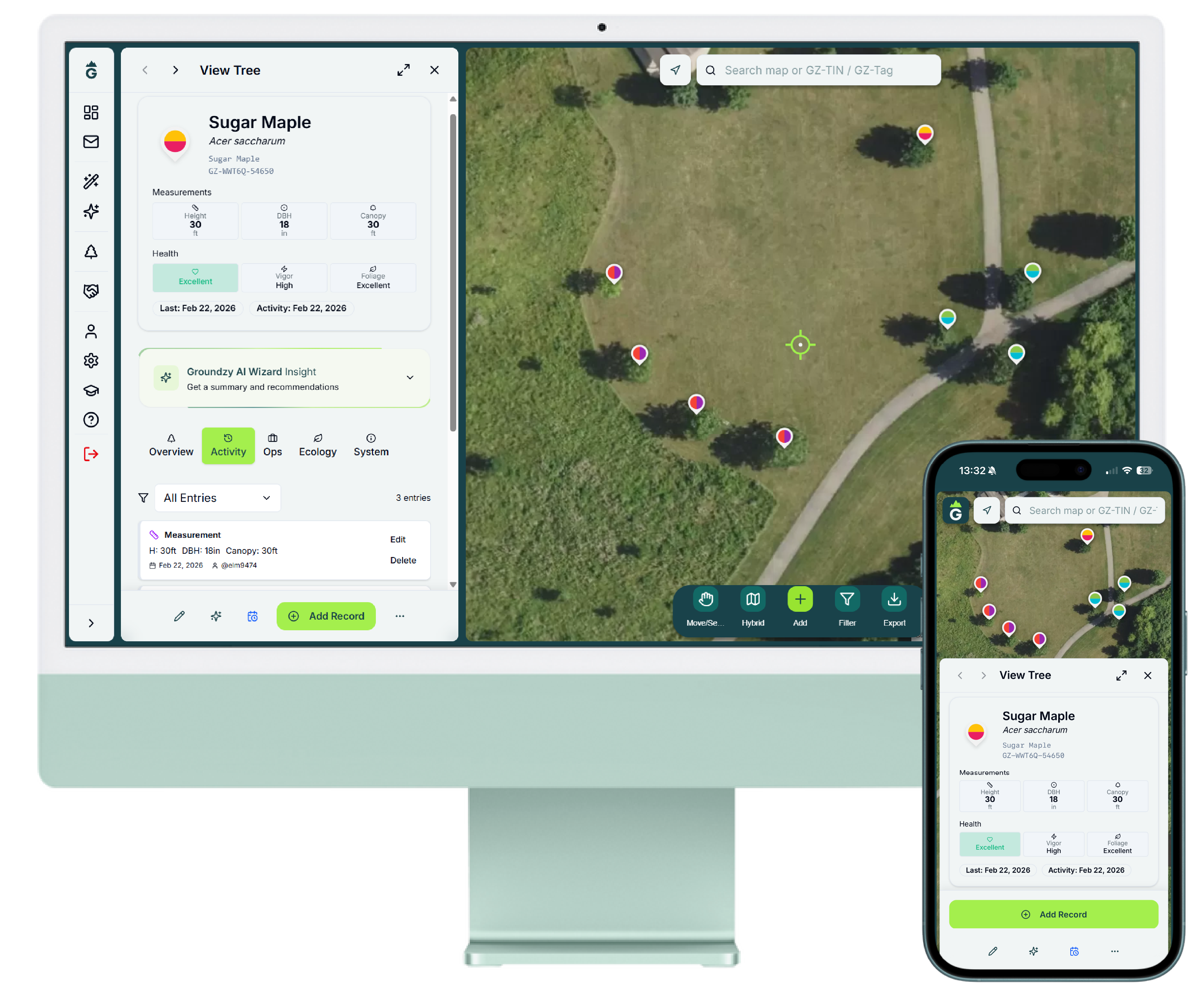
From visit to paid — all on one map
Clients, properties, and trees stay connected. Move from request → quote → job → invoice → paid — scope and line items carry forward at every step.
Map and client, connected
Map and client details flow into every document. Line items, trees, and property context carry forward from request to invoice — sales and field stay aligned.

Job mode in the field
Run the job with checkpoints, photos, and notes tied to the work — not a loose camera roll. Your crew and office see the same story before you invoice.

Send invoices. Get paid.
Branded quotes and invoices by email or PDF. Online, cash, and check — all on one invoice.
One invoice, every payment method
Send professional documents from Groundzy. Clients pay online when you enable Stripe Connect — or you record cash and check on the same invoice.
Branded email & PDF
Send quotes and invoices with your branding. Clients receive a clear document tied to the property and scope you mapped.
Client hub & pay link
Clients open a secure pay link or client hub to review documents and pay open invoices online when Stripe Connect is enabled.
Online & offline on one ledger
Accept cards, bank transfer, Klarna, and Link where available — or record cash and check on the same invoice. One payment story per job.
Get paid on your invoices
Get paid on invoices
Accept cards, bank transfer, Klarna, and more via Stripe Connect. Card rates depend on your plan below. Choose whether your business or your client pays card fees in Team settings.

US card payment rates by plan
| Plan | Card payment rate (US) |
|---|---|
| Pro | 40¢ + 3.20% |
| Small Team | 36¢ + 3.10% |
| Mid Team | 34¢ + 3.05% |
| Large Team | 32¢ + 2.98% |
Klarna, ACH, and Link bank pay use separate rates. Enterprise pricing is custom. See Terms §5.4 for full disclosure.
Same workflow — scale when your crew does
Request → quote → job → invoice and client payments are available on Pro and Teams. Teams adds shared workspace, collaboration, admin controls, and lower card payment rates as your organization grows.
Groundzy Pro
Solo pros and small crews: full workflow, client payments via Stripe Connect, unlimited map and export. Card rate: 40¢ + 3.20%.
Start Pro trialGroundzy Teams
Growing crews and orgs: everything in Pro plus seats, collaboration, dashboards, and lower card rates from 36¢ + 3.10% (Small Team) down to 32¢ + 2.98% (Large Team).
View Teams pricingBuilt for your trade? See landscaper billing or tree service invoicing.
Frequently Asked Questions
Who can enable client payments in Groundzy?
Groundzy Pro and all Teams plans (Small, Mid, and Large Team) can enable client payments via Stripe Connect. Home and Plus plans do not include client payment processing.
How do card payment rates work by plan?
US domestic card payment rates depend on your subscription tier: Pro 40¢ + 3.20%, Small Team 36¢ + 3.10%, Mid Team 34¢ + 3.05%, Large Team 32¢ + 2.98%. Klarna, ACH, and Link bank pay use separate rates.
Who pays card processing fees?
You choose in Team settings whether your business absorbs card fees or passes them to the client. Published rates are shown on each Pro and Teams plan on our Pricing page.
Can cash and check payments stay on the same invoice?
Yes. Online card payments, cash, and check are recorded on the same invoice ledger so your office and field teams see one payment story per job.
How do I set up Stripe Connect?
Pro and Teams subscribers connect a Stripe Express account through standard business onboarding in Groundzy. Once connected, clients can pay open invoices online.
What happens with refunds or disputes?
Refunds and disputes are handled through your connected Stripe account. Platform card fees are generally non-refundable if the underlying payment is refunded or disputed. See our Terms §5.4 Client payments.
Teams running operations on Groundzy

"Groundzy helps us seamlessly manage everything from residential clients to large properties with hundreds of trees. It's an essential tool for our team."
Sam C.
Just for Trees, Inc. · Groundzy Teams

"Groundzy gives me a clear, reliable way to assess tree health and keep accurate records. It's become an essential tool in my professional workflow."
Luis M.
ISA Certified Arborist IL-9856A · Groundzy Pro
Ready to get paid on your map?
Start with Pro — upgrade to Teams when you need seats, collaboration, and lower card rates.